 Pinshape
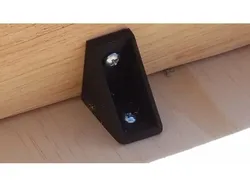
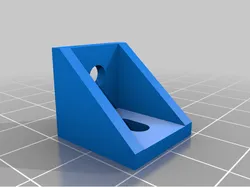
90 Degree Bracket
Summary
Hi Guys!
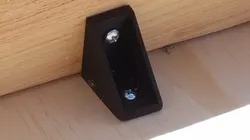
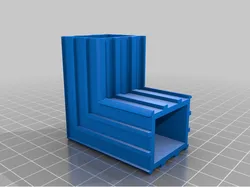
I am in the process of building a table to use for recording my videos and for keeping my 3D Printers on. Between Family, 2 Jobs, YouTube, etc, I only have a maximum of 1 hour a day to spend working on it. While I could have drilled pocket holes to mount the table top, I ran out of time yesterday. So during a lunch break at my night job I designed this bracket. When I got home last night I downloaded the model, multiplied and spaced out 18 of them, sliced and saved the file to the SD and fired up the Geeetech Aluminum Prusa I3. 16 hours and 47 minutes later, exactly when I knew I was going to be back home to work on the table, my brackets were done. (Or within 13 minutes LOL!!!)
They worked great!!!
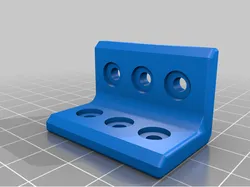
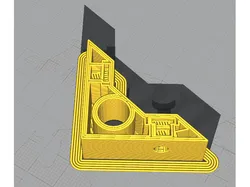
The holes are 4mm and located 1" from the inside corner ( I know, I know, it is just wrong that I mixed the 2 units of measurement, but I honestly did in Tinkercad. : ) One side is slightly thicker than the other. It was by accident, but in retrospect, Im glad it turned out that way. I placed the thicker side to the 2"x4" 's since that was where I was using longer screws and the the most pressure will be applied when attaching the top.
https://youtu.be/8Nps8gp_1xQ
Print Settings
Printer:
Geeetech Aluminum Prusa I3 Rafts:
No Supports:
No Resolution:
0.2 Infill:
30%
Direct link to the original creator's page
Also Available On
More from Jimmy Shaw's Tidbits
Similar Models

Model Specifications
Frequently Asked Questions
How do I download 90 Degree Bracket?
Click the "View on Pinshape" button above to visit the original model page on Pinshape. You can download the STL file directly from the creator's page for free.
What 3D printer can I use for this model?
This model is compatible with most FDM 3D printers (Creality Ender 3, Prusa MK3S+, Bambu Lab, etc.) and resin printers (Elegoo, Anycubic). Check the original page for recommended print settings and materials.
Is this 3D model free to download?
Yes, this model is available as a free download on Pinshape. Some creators accept tips or donations.
Can I modify this file?
Check the license (CC BY-NC-SA) on the original Pinshape page. Most STL files can be modified using free software like Blender, TinkerCAD, or Meshmixer.