 thingiverse
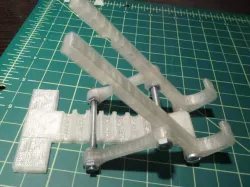
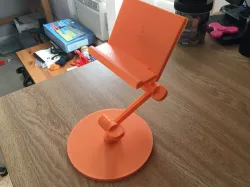
Adjustable Tablet Stand
2/1/19 - Fixed geo problems with parts - divided out into separate pieces.
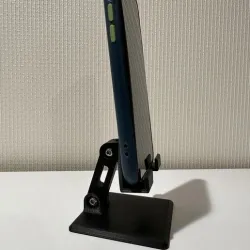
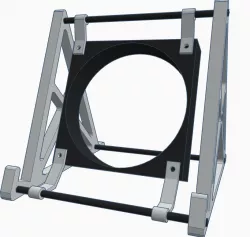
I liked ljon's stand but it was a bit unstable and had some geometry problems, so I added a support to the back and did some clean up.
This has been working great for our Nook and Kindle.
Instructions
Download and print files & quantities as indicated.
I really wanted to print all the parts but due to time I stuck with the hardware and it works well.
You will need:
M4, #6 or #8 rod about 58mm or 2.25" long x2
M4 or #8 screws at least 20mm or .75" long x2
10 matching nuts
Threadlocker (superglue will work)
You may need to file or drill out the holes slightly depending on your hardware.
Assemble as shown, the key is to threadlock all the nuts, otherwise it will fall apart. On the arm pivot, threadlock the nuts slightly loose so it can move freely.
Direct link to the original creator's page
Also Available On
More from countspatula
Similar Models
 thingiverse
 cults3d
 thingiverse
 thingiverse
 thingiverse
 thingiverse
 thingiverse
 thingiverse
Model Specifications
Frequently Asked Questions
How do I download Adjustable Tablet Stand?
Click the "View on thingiverse" button above to visit the original model page on thingiverse. You can download the STL file directly from the creator's page for free.
What 3D printer can I use for this model?
This STL file is compatible with most FDM 3D printers (Creality Ender 3, Prusa MK3S+, Bambu Lab, etc.) and resin printers (Elegoo, Anycubic). Check the original page for recommended print settings and materials.
Is this 3D model free to download?
Yes, this model is available as a free download on thingiverse. Some creators accept tips or donations.
Can I modify this STL file?
Most STL files can be modified using free software like Blender, TinkerCAD, or Meshmixer. Check the license on the original thingiverse page to see if modifications are permitted by the creator.