 Cults3D
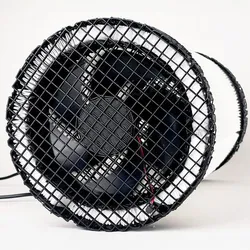
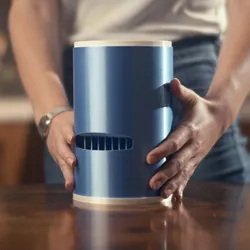
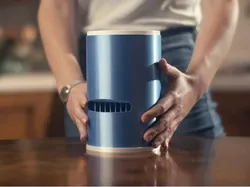
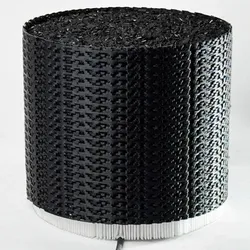
Ali air purifier
Upload the universal gcode on an SD card and insert it in any printer. Launch the gcode from the printer interface, ignore warnings and proceed. Adjust temperature and fan speed once the print starts to fit your filament needs
Printer requirements for the gcodes: preferably 0.6mm nozzle and at least 180x180mm buildplate
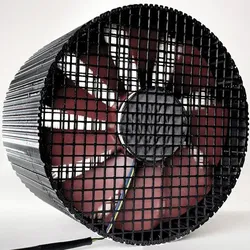
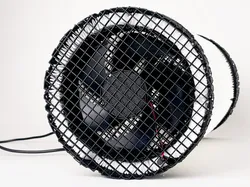
Ali Fits any 120mm PC fan, "Uphere" version is specific the slightly smaller Uphere 120mm fan
Cut the fan frame with pliers and attach it mid-print with thick double sided adhesive tape.
If you choose a USB fan, you can add a "usb fan speed controller" (Google it) to adjust and increase USB fan speed.
Use a 300x400mm "Frameless hepa filter" sheet with 2 fans or cut a shorter sheet for single fan (link1: https://aliexpress.com/item/4001298732898.html , link2: https://aliexpress.com/item/1005001619559275.html)
Watch this video to understand how Ali is made: https://www.youtube.com/watch?v=P_O8Nc2xM8s
Direct link to the original creator's page
Also Available On
More from RiverFamily
Similar Models




Model Specifications
Frequently Asked Questions
How do I download Ali air purifier?
Click the "View on Cults3D" button above to visit the original model page on Cults3D. You can download the STL file directly from the creator's page for free.
What 3D printer can I use for this model?
This model is compatible with most FDM 3D printers (Creality Ender 3, Prusa MK3S+, Bambu Lab, etc.) and resin printers (Elegoo, Anycubic). Check the original page for recommended print settings and materials.
Is this 3D model free to download?
Yes, this model is available as a free download on Cults3D. Some creators accept tips or donations.
Can I modify this file?
Check the license (https://creativecommons.org/public-domain/cc0/) on the original Cults3D page. Most STL files can be modified using free software like Blender, TinkerCAD, or Meshmixer.