 GrabCAD
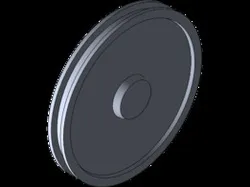
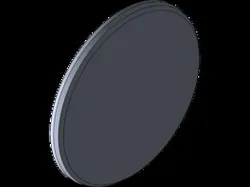
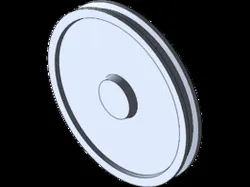
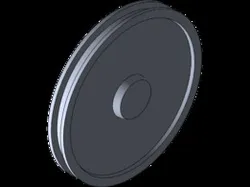
Big Rim
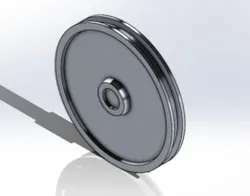
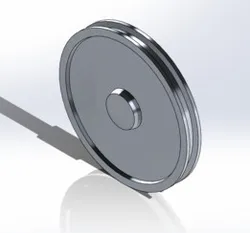
I began with the front plane and created a construction line vertical through the origin. I created a horizontal line with the mid point being the origin. I then created a vertical line going up on each endpoints of the 140mm line. I created a line going left from the endpoint angled at 105 degrees. Create a line going up vertically then I connected an angled line of 105 degrees going up right. I created a line a line going up vertically then a line going left horizontally. Connecting an angled line down left then connect it with a line going left horizontally connected to he construction line. Then select the mirror tool and mirror it to the construction line. I then selected the dimension tool and dimensioned the top and the bottom of the drawing with the dimension of 450mm. I dimensioned the bottom horizontal line to 140mm and the top to 100mm. I evened out the top of the sketch to make sure it is correct. I dimensioned the middle of the top sketch to 60mm and I also dimensioned the left vertical line to 100m. I then dimensioned the top right vertical line to 45mm and dimensioned the line connected to it 20mm. I dimensioned the angled line connected to the recent line to 30mm. Now we are dimensioning the angled lines. First select the bottom angled line and the line connected to it to 105 degrees. Then select the angled line above the one we just selected and select the same line on the left and angle it to 105 degrees. Select the last top angled line and dimension it to 75 degrees. Now select the resolved boss/base tool then select line one and make sure its the middle construction line. Select "selected contours" and the box making sure its blue then select the right side if the sketch and the "Axis of revolution" and select the very bottom horizontal line. Select the green check mark to finish.
Mass = 112862.37 grams
Volume = 41800876.90 cubic millimeters
Surface area = 1789353.33 square millimeters
Direct link to the original creator's page
Also Available On
More from Vanessa Estrada
Similar Models
Model Specifications
Frequently Asked Questions
Where is Big Rim published?
This model is published by its creator on GrabCAD. STLFinder only indexes it: the "View on GrabCAD" button above opens the original page, where the creator shares the SOLIDWORKS files under their own license.
What 3D printer can I use for this model?
This model is compatible with most FDM 3D printers (Creality Ender 3, Prusa MK3S+, Bambu Lab, etc.) and resin printers (Elegoo, Anycubic). Check the original page for recommended print settings and materials.
Is this 3D model free?
Yes, the creator shares it at no cost on GrabCAD. Some creators accept tips or donations.
Can I modify this file?
Check the license (see original page) on the original GrabCAD page. Most STL files can be modified using free software like Blender, TinkerCAD, or Meshmixer.