 Thingiverse
CaseBuilderLib2
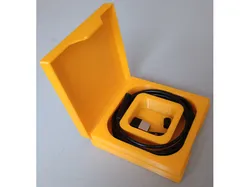
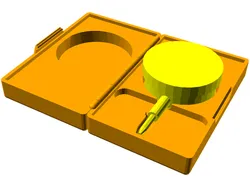
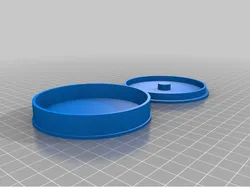
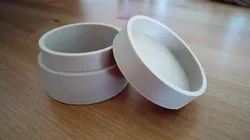
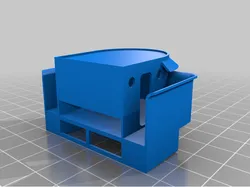
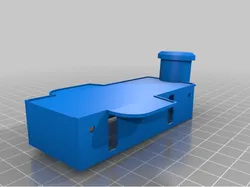
CaseBuilderLib2Design 3D printed cases for random things! How to use this library:PreparationMake a copy of the CaseBuilderLib project template(CaseBuilderTemplate.scad).The template is intended to be used with the OpenSCADCustomizer. The design of a customized case is done in two stages.Start by setting the Stage variable to "Model"(value = 1). Model StageThe model stages provides a simplified view to design theinterior of the case.The content of the case must be designed as children ofthe CaseBuilder() module. It can be designed in two ways:It can be an automatically generated cavity around a modelthe object, that the case in meant to protect. In this caseuse the objectCavity() modifier around the object model.It can be a manually generated cavity. In this case put theshape of the cavity directly insidev the CaseBuilder()Alternatively, an empty case can be generated by checking thesetting the variable PlainB to true.Configure the inner dimensions of the case by setting theIdimX, IdimY, and IdimZ variables.If necessary, adjust the position of the content through theObjX, ObjY, and ObjZ variables. If needed, add some grip holes by setting the variablesGh1X, Gh2X, or Gh3X to a value within the innerX dimension.Further grip holes can be added by manually extending theghX array within the instantiation of theCaseBuilder() module. Add an optional label to the case by setting the stringvariable LabT. The font size can be adjusted throughthe variable LabS. Continue by setting the Stage variable to "Generate"(value = 2). Generate stageDo a final review of the design.Use the OpenA variable for a detailed inspection. Render the design and generate a STL file. Slice and print.The CaseBuilderLib2 source code is maintained at GitHub.
Direct link to the original creator's page
Also Available On
More from hotwolf
Similar Models
 Thingiverse
 Thingiverse
 Thingiverse
 Thingiverse
 Thingiverse
 Thingiverse
 Thingiverse
 Thingiverse
Model Specifications
Frequently Asked Questions
How do I download CaseBuilderLib2?
Click the "View on Thingiverse" button above to visit the original model page on Thingiverse. You can download the STL file directly from the creator's page for free.
What 3D printer can I use for this model?
This model is compatible with most FDM 3D printers (Creality Ender 3, Prusa MK3S+, Bambu Lab, etc.) and resin printers (Elegoo, Anycubic). Check the original page for recommended print settings and materials.
Is this 3D model free to download?
Yes, this model is available as a free download on Thingiverse. Some creators accept tips or donations.
Can I modify this file?
Check the license (see original page) on the original Thingiverse page. Most STL files can be modified using free software like Blender, TinkerCAD, or Meshmixer.