 GrabCAD
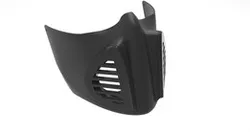
Covid19 Mask Prototype
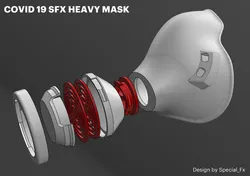
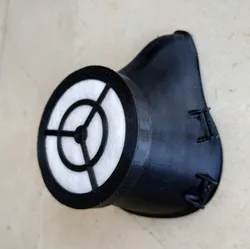
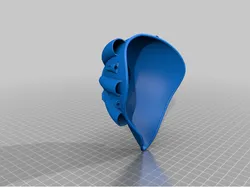
During these unfortunate times, we all need to take responsibility and follow experts' recommendations. The mask initially designed for fun. However, It has started to serve on a serious duty that is protection.
Instructions:
1 - The main part of the mask should be printed with TPU. Before you print the TPU part, have some knowledge and samples about the material. Otherwise, It will give you hard time.
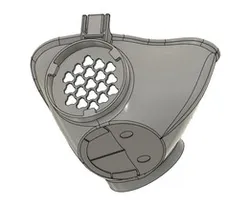
2 - You may print grids with any kind of strong filaments. In between internal and external grids, I highly recommend you to buy a carbon filter. But I believe a basic clothing fabric works either.
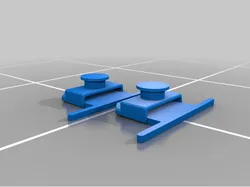
3 - The hooks of the external grid are actually weak. It is easy to break them. You can use some glue to increase their strength.
4 - There are going to be gaps between the mask and your nose area. You can use a basic door sealing foam (the one side sticky ones). It will help you to direct airflow towards filters.
If you have better ideas please leave a comment and share with us.
Direct link to the original creator's page
More from Ercin Ozsoy
Similar Models


Model Specifications
Frequently Asked Questions
Where is Covid19 Mask Prototype published?
This model is published by its creator on GrabCAD. STLFinder only indexes it: the "View on GrabCAD" button above opens the original page, where the creator shares the RENDERING, SOLIDWORKS files under their own license.
What 3D printer can I use for this model?
This model is compatible with most FDM 3D printers (Creality Ender 3, Prusa MK3S+, Bambu Lab, etc.) and resin printers (Elegoo, Anycubic). Check the original page for recommended print settings and materials.
Is this 3D model free?
Yes, the creator shares it at no cost on GrabCAD. Some creators accept tips or donations.
Can I modify this file?
Check the license (see original page) on the original GrabCAD page. Most STL files can be modified using free software like Blender, TinkerCAD, or Meshmixer.