 CrealityCloud
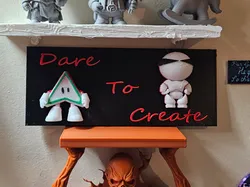
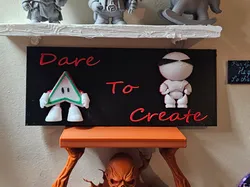
Dare to create
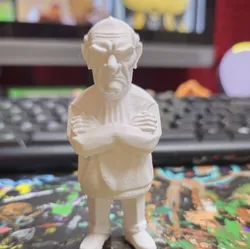
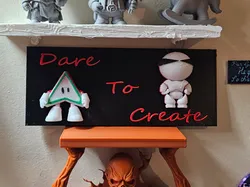
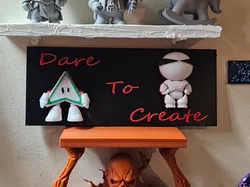
Got this idea from the Dare to Create Project from Creality Cloud. I created cuva and The Maker with Creality Make Now A.I. Generators using pictures I created . Then I used Creality Print to slice the figurines in half. Sign backboard was created by creality print and sizing a cube to the size I needed. Then I added Text to the backboard. Forgot to mention I needed a few open print bed to move parts around, Then I take the the half of the figurines and lay then In the sign back. I then highlighted all objects, and attched them to one piece. Took some time, But it came out great.Design Concept This 3D printed display features a creative concept encouraging innovation and creation. It incorporates two artistic characters with a bold 'Dare To Create' message, making it an inspirational piece for artists and designers.Printing Suggestions Choose vibrant filament colors for the characters to enhance the contrast against the black background. Consider using a layer height of 0.2mm for finer details and smoother surfaces.Created by MakeNow's CubeMe(https://makenow.crealitycloud.com)MakeNow - Creality 3D
Direct link to the original creator's page
More from WrathofGod1974 3d
 CrealityCloud
 CrealityCloud
 CrealityCloud
 CrealityCloud
 CrealityCloud
 CrealityCloud
Similar Models
 CrealityCloud
 CrealityCloud
 CrealityCloud
 Thingiverse
 GrabCAD
 Thingiverse
 Thingiverse
 Thingiverse
Model Specifications
Frequently Asked Questions
How do I download Dare to create?
Click the "View on CrealityCloud" button above to visit the original model page on CrealityCloud. You can download the 3MF, STL file directly from the creator's page for free.
What 3D printer can I use for this model?
This model is compatible with most FDM 3D printers (Creality Ender 3, Prusa MK3S+, Bambu Lab, etc.) and resin printers (Elegoo, Anycubic). Check the original page for recommended print settings and materials.
Is this 3D model free to download?
Yes, this model is available as a free download on CrealityCloud. Some creators accept tips or donations.
Can I modify this file?
Check the license (CC BY-NC-SA) on the original CrealityCloud page. Most STL files can be modified using free software like Blender, TinkerCAD, or Meshmixer.