 myminifactory
Darth
https://www.youtube.com/watch?v=HgorWVup-5g
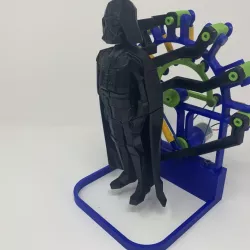
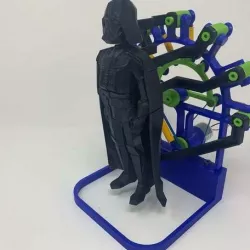
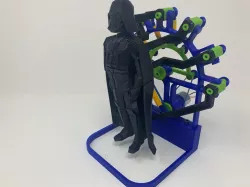
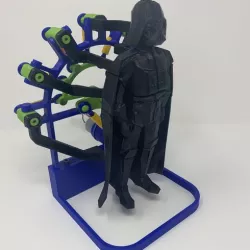
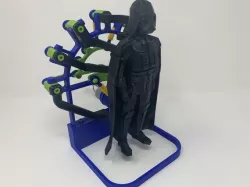
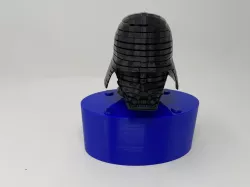
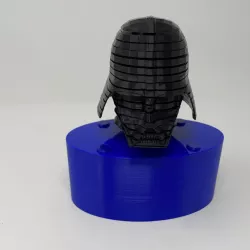
While on a recent family vacation (all 26 of us), the wife and I took the family members to a variety of attractions, one of which was a museum with a fascinating automata. The kids and grandkids suggested I design and 3D print a version of the automata using Darth Vader as opposed to the generic figure of the museum piece, and "Darth" is the result.
While much smaller than, and much less complex as, the museum piece, Darth is still quite a challenge to print, assemble and align. The design incorporates 26 unique 3D printed parts (81 total 3D printed parts) and utilizes eight 3D printed turnbuckles, having both left and right hand threads, for fine tuning. The process of how I printed, assembled and aligned the various Darth components is described below.
As usual, I probably forgot a file or two or who knows what else, so if you have any questions, please do not hesitate to point them out as I do make mistakes in plenty.
Designed using Autodesk Fusion 360, sliced using Cura 3.5.1, and printed in PLA on an Ultimaker 2+ Extended and an Ultimaker 3 Extended.
Direct link to the original creator's page
Also Available On
More from zumwalt
Similar Models
Model Specifications
Frequently Asked Questions
How do I download Darth?
Click the "View on myminifactory" button above to visit the original model page on myminifactory. You can download the STL file directly from the creator's page.
What 3D printer can I use for this model?
This STL file is compatible with most FDM 3D printers (Creality Ender 3, Prusa MK3S+, Bambu Lab, etc.) and resin printers (Elegoo, Anycubic). Check the original page for recommended print settings and materials.
Is this 3D model free to download?
This is a premium model priced at on myminifactory. Premium models often include higher detail, multiple parts, and print-tested files.
Can I modify this STL file?
Most STL files can be modified using free software like Blender, TinkerCAD, or Meshmixer. Check the license on the original myminifactory page to see if modifications are permitted by the creator.