 thingiverse
Density Shapes
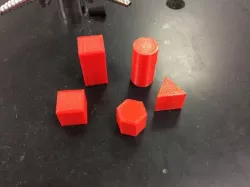
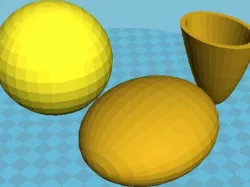
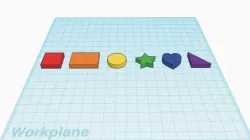
These parts are simple 3D shapes that will print easily and can be used to calculate density. Print using a variety of infill percentages, or even scale the size of the shapes up and down to change mass and volume.
Print Settings
Printer Brand:
MakerBot
Printer:
MakerBot Replicator (5th Generation)
Rafts:
Doesn't Matter
Supports:
Doesn't Matter
Resolution:
.3 - no need for fine resolution
Infill:
variable
Notes:
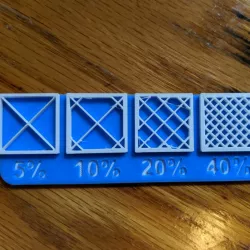
print with a variety of infill densities to create shapes with identical volume but different masses.
Post-Printing
Label
I recommend using a sharpie to Label each infill density with A,B,C,D etc. so that you know which is which but students do not know why they are different masses. Alternatively, give students a list of the infill densities and try to have then determine which is which.
How I Designed This
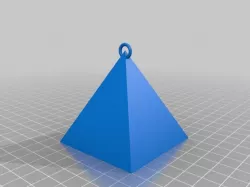
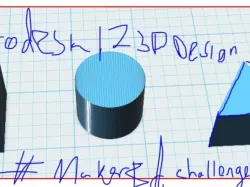
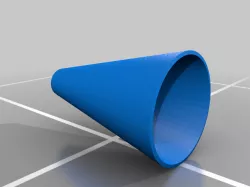
My goal was to have shapes that can have easily measured and calculated volumes. I stuck to circles, squares and triangles, but added in some others for more advanced students.
Density Blocks
Objectives
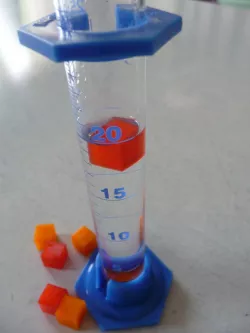
Students will determine the density of a variety of 3D shapes via measurement and calculation.
Students will create a prediction as to why pieces of identical volume and material might have different densities.
Audiance
These could be used anywhere from Pre-K to Introductory college science, but I will be focusing on application in 9-12 chemistry and physics with brief discussion on applications at lower levels.
Preperation
Ideally students will have a basic knowledge of what density is, and be aware of the equation to calculate density d=m/v. Students will need a ruler or other measuring device and some means of measuring the mass of each shape. Alternately, instructors could measure the mass ahead of time and label each shape with its mass.
Steps!
Before the day of your lab, Print the shapes you would like to use at 4-7 different infill percentages. I recommend 0% (hallow), 10%, 25%, 50% and 75%. No need to go to 100%, just a waste of material!
At each lab station have all the prints of one shape. I.E. all the cubes at station 1, cylinders at station 2 and so on. Have student determine the density of each of the objects at their station. When they see that each one has a different density, have them predict how this could be the case. Have one set of shapes printed with no roof to show infill density after the lab.
Alternatively, put one of each shape at each station to give students practice finding the density of different shapes.
Results
At the very least, students should be able to calculate the different density for each of the shapes to give practice with the concept. Ideally, students will be able to apply their knowledge of density as an intrinsic property of a material and experience some "cognitive dissonance" about the shapes being the same size and same material yet different density. This will force them to challenge their assumption that they are all identical on the inside.
As an extension, have students design their own shapes to print and calculate.Can they design one that will sink? Can they predict the infill needed to do so?
Direct link to the original creator's page
More from corosi
Similar Models
Model Specifications
Frequently Asked Questions
How do I download Density Shapes?
Click the "View on thingiverse" button above to visit the original model page on thingiverse. You can download the STL file directly from the creator's page for free.
What 3D printer can I use for this model?
This STL file is compatible with most FDM 3D printers (Creality Ender 3, Prusa MK3S+, Bambu Lab, etc.) and resin printers (Elegoo, Anycubic). Check the original page for recommended print settings and materials.
Is this 3D model free to download?
Yes, this model is available as a free download on thingiverse. Some creators accept tips or donations.
Can I modify this STL file?
Most STL files can be modified using free software like Blender, TinkerCAD, or Meshmixer. Check the license on the original thingiverse page to see if modifications are permitted by the creator.