 GrabCAD
Din rail fixtures
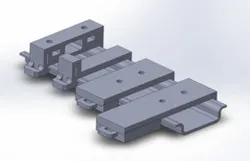
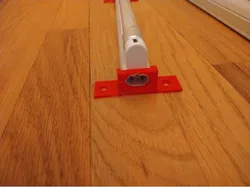
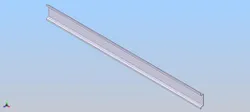
This is a little din-rail (35x7.5 mm) fixtures kit which one can use as separate tools or as parts of custom electronic cases.
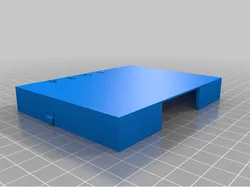
- First part is only fixture-form aimed to be added to any case model.
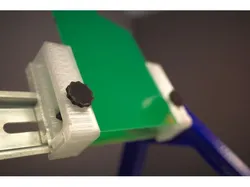
- Second part is threaded fixture which suppose to have two M3 nuts inserted in slots and use screws to fasten flat parts or case buttoms.
- Third part is short fixture with two-position latch which allows fast and simple fixation. This part supposed to be glued or screwed on case`s bottoms (even several fixtures per case).
- Fourth part is enlarged version of previous for using with bigger cases.
All parts are supposed to produce via 3D-printing, viscous materials are recommended. Switch fixtures base have two-part construction for better print conditions, assembld with glue.
P.S. One should be careful about latch height when print latched fixtures. 3D models have no vertical gap between base and latch to prevent fixture backlash. In ordinary case it is recommended to grind latch part to make allow its free moving in fixture (or decrease its height before printing if you can reach sufficient parts quality this way).
Direct link to the original creator's page
More from Mnz Mnz
Similar Models
Model Specifications
Frequently Asked Questions
How do I download Din rail fixtures?
Click the "View on GrabCAD" button above to visit the original model page on GrabCAD. You can download the RENDERING, SOLIDWORKS, STEP / IGES file directly from the creator's page for free.
What 3D printer can I use for this model?
This model is compatible with most FDM 3D printers (Creality Ender 3, Prusa MK3S+, Bambu Lab, etc.) and resin printers (Elegoo, Anycubic). Check the original page for recommended print settings and materials.
Is this 3D model free to download?
Yes, this model is available as a free download on GrabCAD. Some creators accept tips or donations.
Can I modify this file?
Check the license (see original page) on the original GrabCAD page. Most STL files can be modified using free software like Blender, TinkerCAD, or Meshmixer.