 cgtrader
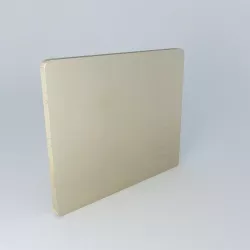
dream bed head 3D model
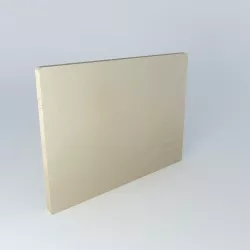
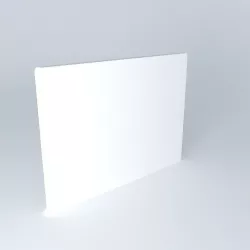
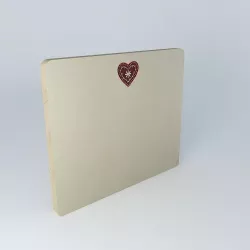
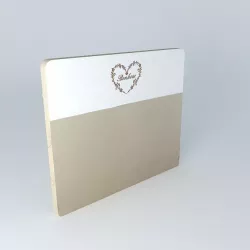
For a comfortable and discreet bedroom, the headboard cover Dreamest the perfect accessory for you to spend a dream night. The linen cover naturelest a headboard cover 140 cmaux trendy colors. It is perfect for the headboard 140 cmpour give a cozy and natural atmosphere to your room. The solid natural linen slipcover is also available in 160cm headboard cover format. Size (cm): H 122 x W 142 x D 7 Weight: 1.50 Kg http://www.maisonsdumonde.com/FR/fr/produits/fiche/housse-tete-de-lit-lin-140-cm -Dream-116483.htm
Ref. 116483 59 â¬.
Polygons: 79
Textures can be found in .skp file
How to extract textures from .skp file?
If you have any of the following software, it is easy. Follow the guidelines provided:
Sketchup (Free)
Just export the image as your choice of 2D file under the File/Export/2d Graphic - drop down option.
Another way:
Go to File -> Export -> 3D Model. Export it as a COLLADA File (*.dae) file. Click on the Options button and make sure that Export Texture Maps is checked. Go to the exported file location. In the directory, there should be a folder with the exported file name containing all of the textures.
C4D (Trial version is enough)
Importing .skp file to C4D automatically generates a folder with textures next to the .skp file.
3ds Max
When .skp file is imported to 3ds Max, it stores texture files to ..3dsMaxsceneassetsimages. You can find textures there. You can also export fbx file with embed media option selected (in export dialog window), so it automatically generates a folder of textures together with the fbx file.
Rhinoceros 3D (Trial version is enough)
Import .skp file to Rhinoceros 3D. Open material editor (Panels->Material editor). Select any material that has texture on. Click on the texture name (in the Textures section), click on the three dot button. You can now see all the textures, it should be in the ..AppDataLocalTempembedded_files directory.
Feel free to copy and paste the textures to any folder you like.
Direct link to the original creator's page
Also Available On
More from frederictabari
 cgtrader
 cgtrader
 cgtrader
 cgtrader
 cgtrader
 cgtrader
Similar Models
 cgtrader
 cgtrader
 cgtrader
 cgtrader
 cgtrader
 cgtrader
 cgtrader
 cgtrader
Model Specifications
Frequently Asked Questions
How do I download dream bed head 3D model?
Click the "View on cgtrader" button above to visit the original model page on cgtrader. You can download the STL file directly from the creator's page.
What 3D printer can I use for this model?
This STL file is compatible with most FDM 3D printers (Creality Ender 3, Prusa MK3S+, Bambu Lab, etc.) and resin printers (Elegoo, Anycubic). Check the original page for recommended print settings and materials.
Is this 3D model free to download?
This is a premium model priced at on cgtrader. Premium models often include higher detail, multiple parts, and print-tested files.
Can I modify this STL file?
Most STL files can be modified using free software like Blender, TinkerCAD, or Meshmixer. Check the license on the original cgtrader page to see if modifications are permitted by the creator.