 GrabCAD
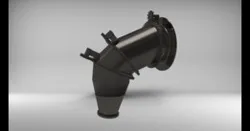
F-35 Nozzle (Flow simulation)
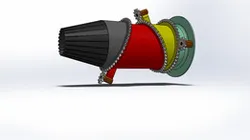
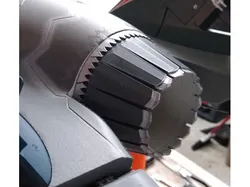
The three-bearing swivel nozzle design uses three segments of the engine exhaust duct cut on an angle and joined by two airtight circular bearings. External motors drive geared teeth in these segments to rotate them to create the deflected thrust. The forward and aft segments always stay aligned with one another in the rotational axis. The center segment rotates through 180 degrees relative to them. The third bearing is on the back of the engine aft of the turbine stage and provides the ability to swivel the nozzle thrust axis in yaw at any pitch angle.
for more visit: https://www.codeonemagazine.com/f35_article.html?item_id=137
Design:
-the angle of parts is 22.5 degree
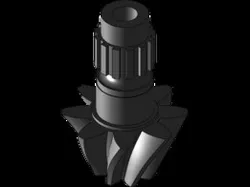
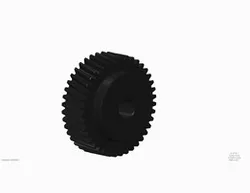
-Gears were taken from the SolidWorks library, both gears are with 2.5module
how to do flow simulation:
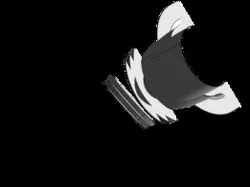
-Open part4 -- suppress boundary1 == unsuppress revolve1==unsupress lid
-open part1 -- unsuppress simu(lid)
-Go to Evaluate -- FloXpress analysis wizard
PS: the outlet pressure must be higher than the inlet
Direct link to the original creator's page
More from Sami Reddioui
Similar Models
Model Specifications
Frequently Asked Questions
Where is F-35 Nozzle (Flow simulation) published?
This model is published by its creator on GrabCAD. STLFinder only indexes it: the "View on GrabCAD" button above opens the original page, where the creator shares the RENDERING, SNAGIT, SOLIDWORKS files under their own license.
What 3D printer can I use for this model?
This model is compatible with most FDM 3D printers (Creality Ender 3, Prusa MK3S+, Bambu Lab, etc.) and resin printers (Elegoo, Anycubic). Check the original page for recommended print settings and materials.
Is this 3D model free?
Yes, the creator shares it at no cost on GrabCAD. Some creators accept tips or donations.
Can I modify this file?
Check the license (see original page) on the original GrabCAD page. Most STL files can be modified using free software like Blender, TinkerCAD, or Meshmixer.