 Pinshape
Fidget Star
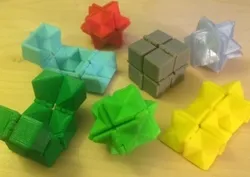
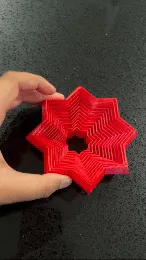
Open, close, repeat. One way it's a box and the other way it's a star. Then a box. Then a star. Repeat the repeat.
This hinged print-in-place model is a remix of the Fidget Cube. It 3D prints fully assembled, in one piece, folded up! A snub version is also included for those who like the old school fidget.
For the design geeks: Thanks to Greg Knapp, who used Blender to fold up the original Fidget Cube model and print it as a closed cube. His YouTube video inspired me to do the same thing in OpenSCAD code so that the Fidget Cube could be printed as a closed cube. The remix gave me the opportunity to make the snub side of the fidget a more interesting star shape.
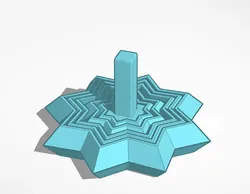
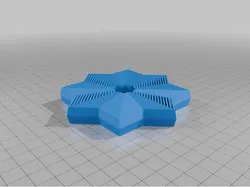
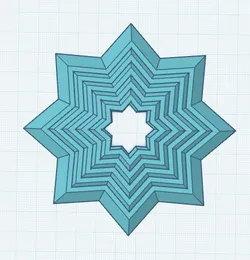
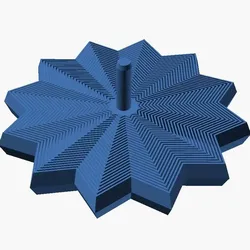
For the math geeks: The "star" is a stellated rhombic dodecahedron, and this model makes up half of a Yoshimoto cube.
The Challenge has begun!
atartanian vs. mathgrrl
1 design per week, winner take all. Thanks to atartanian for challenging me to get back on track and post a design a week. Speaking of tracks, check out his entry for this week: Cutomizable Flexible Toy Train Tracks. Let us know what you think in the comments!
Read more at Hacktastic:
http://mathgrrl.com/hacktastic/2015/07/week-1-bat...
Descriptions
fidget_star_standing_15_48.stl and fidget_snub_standing_15_48.stl are medium-sized models that print standing up, unfolded. One is a stellated rhombic dodecahedron on the fun side, and the other is a cube with corners cut down.
fidget_star_closed_15_48.stl and fidget_snub_closed_15_48.stl are like the above, but print closed up.
fidget_star_standing_30_2_50.stl is a larger model with 30mm cubes, so a folded height of about 60mm and a standing height of about 120mm. It takes about 4-5 hours to print.
If you choose one of the "closed" designs then it will print folded up, with the cube side out. After printing you'll be able to open it up and see the star. If the closed version doesn't work on your printer, then try the "standing" assembly instead, which prints while folded open. If you need to make other adjustments to size or clearances, try the Customizer version.
If you want to print this model larger or smaller, then don't just scale up or down the model as a whole. Instead, use the Cusomizer to change the cube height, but preserve the hinge size.
I've found that a hinge clearance of .48 is optimal for MakerBot Replicator 3D printers. Other printers may need more or less hinge clearance. If your hinges are fused together, first make sure that you've turned supports OFF. After that you might try adjusting hinge clearance.
After printing, horizontal hinges will sometimes have some sag underneath; clipping this off before attempting to open the model will help increase your chances of success.=====
Twitter: twitter.com/mathgrrl
Hacktastic blog: www.mathgrrl.com/hacktastic
Shapeways geekhaus store: www.shapeways.com/shops/mathgr...
This design and all associated pictures and files are licensed under the Creative Commons Attribution Non-Commercial Share Alike license. If you want to use designs, images, or files outside of the terms of this license, please email [email protected].
Direct link to the original creator's page
Also Available On
More from mathgrrl

Similar Models

Model Specifications
Frequently Asked Questions
How do I download Fidget Star?
Click the "View on Pinshape" button above to visit the original model page on Pinshape. You can download the STL file directly from the creator's page for free.
What 3D printer can I use for this model?
This model is compatible with most FDM 3D printers (Creality Ender 3, Prusa MK3S+, Bambu Lab, etc.) and resin printers (Elegoo, Anycubic). Check the original page for recommended print settings and materials.
Is this 3D model free to download?
Yes, this model is available as a free download on Pinshape. Some creators accept tips or donations.
Can I modify this file?
Check the license (Creative Commons Attribution Non-Commercial Share Alike) on the original Pinshape page. Most STL files can be modified using free software like Blender, TinkerCAD, or Meshmixer.