 grabcad
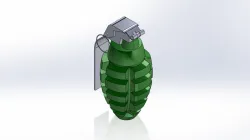
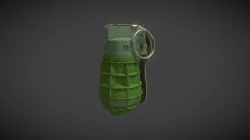
Grenade assembly model
Creating a grenade assembly in SolidWorks involves designing and assembling various components to form a complete grenade model. Below is a step-by-step guide on how you can approach this project:### Step 1: Define the ComponentsA typical grenade consists of several parts:1. **Body**: The main casing of the grenade.2. **Fuse**: The mechanism that initiates the explosion.3. **Safety Lever (Spoon)**: Keeps the grenade from detonating prematurely.4. **Pin**: Holds the safety lever in place.5. **Explosive Charge**: The material inside the grenade that detonates.### Step 2: Create Individual Parts1. **Body**: - Start a new part file. - Use the **Revolve Boss/Base** feature to create the cylindrical body of the grenade. - Add details like texture and surface features using **Fillet**, **Chamfer**, and **Shell** features.2. **Fuse**: - Create the fuse as a separate part. - Use **Extrude Boss/Base** to shape the fuse. - Add threads using the **Helix/Spiral** and **Sweep Cut** features if needed.3. **Safety Lever**: - Design the safety lever as a separate part. - Use **Extrude Boss/Base** and **Cut-Extrude** to achieve the correct shape.4. **Pin**: - Design the pin using **Extrude Boss/Base**. - Add small details such as rings and bends.5. **Explosive Charge**: - This part is typically not visible, so it can be a simple shape using **Extrude Boss/Base**.### Step 3: Assemble the Parts1. **Start a New Assembly**: - Open a new assembly file in SolidWorks. - Insert the grenade body as the first part and fix it to the origin. 2. **Add Components**: - Insert the fuse, safety lever, pin, and explosive charge. - Use **Mate** features to position the parts correctly: - **Coincident** mate for surfaces that should be in contact. - **Concentric** mate for cylindrical parts like the pin and fuse. - **Distance** or **Angle** mates to position parts accurately.3. **Test the Assembly**: - Ensure all parts move correctly if they are supposed to (like the safety lever). - Check for any interference or overlapping parts using the **Interference Detection** to
Direct link to the original creator's page
Also Available On
More from srivastava

Similar Models
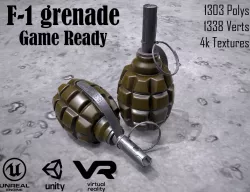
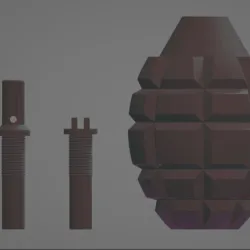
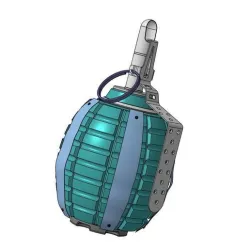

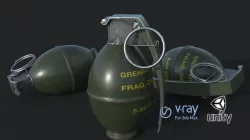
Model Specifications
Frequently Asked Questions
How do I download Grenade assembly model?
Click the "View on grabcad" button above to visit the original model page on grabcad. You can download the STL file directly from the creator's page for free.
What 3D printer can I use for this model?
This STL file is compatible with most FDM 3D printers (Creality Ender 3, Prusa MK3S+, Bambu Lab, etc.) and resin printers (Elegoo, Anycubic). Check the original page for recommended print settings and materials.
Is this 3D model free to download?
Yes, this model is available as a free download on grabcad. Some creators accept tips or donations.
Can I modify this STL file?
Most STL files can be modified using free software like Blender, TinkerCAD, or Meshmixer. Check the license on the original grabcad page to see if modifications are permitted by the creator.