 GrabCAD
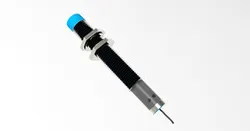
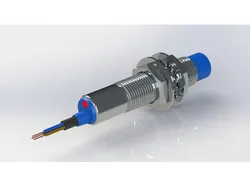
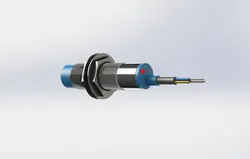
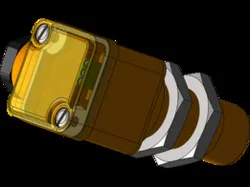
Inductive Proximity Switch
Inductive proximity switch operate under the electrical principle of inductance.This Inductive proximity switch incorporates an electromagnetic coil which is used to detect the presence of a conductive metal object. The sensor will ignore the presence of an object if it is not metal.When a metal target enters the field, eddy currents circulate within the target. This causes a load on the sensor, decreasing the amplitude of the electromagnetic field. As the target approaches the sensor the eddy currents increase, increasing the load on the oscillator and further decreasing the amplitude of the field. The trigger circuit monitors the oscillator’s amplitude and at a predetermined level switches the output state of the sensor from its normal condition (on or off). As the target moves away from the sensor, the oscillator’s amplitude increases. At a predetermined level the trigger switches the output state of the sensor back to its normal condition (on or off).
Direct link to the original creator's page
Also Available On
More from VINAY KUMAR
Similar Models
 Thingiverse
 GrabCAD
 GrabCAD
 GrabCAD
 Thingiverse
 GrabCAD
 Thingiverse
 Thingiverse
Model Specifications
Frequently Asked Questions
How do I download Inductive Proximity Switch?
Click the "View on GrabCAD" button above to visit the original model page on GrabCAD. You can download the PTC CREO ELEMENTS, RENDERING file directly from the creator's page for free.
What 3D printer can I use for this model?
This model is compatible with most FDM 3D printers (Creality Ender 3, Prusa MK3S+, Bambu Lab, etc.) and resin printers (Elegoo, Anycubic). Check the original page for recommended print settings and materials.
Is this 3D model free to download?
Yes, this model is available as a free download on GrabCAD. Some creators accept tips or donations.
Can I modify this file?
Check the license (see original page) on the original GrabCAD page. Most STL files can be modified using free software like Blender, TinkerCAD, or Meshmixer.