 thingiverse
Interlocking Boxes
**UPDATE 17 Nov 19 **
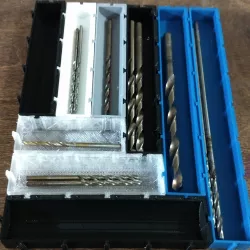
Added version 3 (v3) of the SCAD file. This version adds the ability to give a rounded bottom to the box. This is useful when using for small parts storage, or like I am for drill bits (see new example picture). The latest version of OpenSCAD has a very good function to easily edit the parameters and create new boxes - highly recommended to use that with the SCAD file to customize the size of box you might need.
**UPDATE**
Added version 2 (v2). In this version, the bottom of the print has "anti-elephant foot". This makes it so you don't have to clean up the first layer in order to fit the boxes together. They should work straight off the printer, as long as the "fit factor" is sufficient. I've been using 0.15 lately and the boxes fit fairly well.
**ORIGINAL**
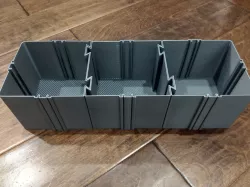
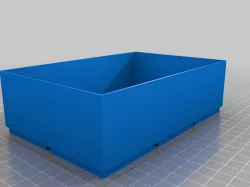
I thought there was something like this already on Thingiverse but I couldn't find it, so I made my own. This is a customizable, interlocking box using dovetails to connect. I'm using these to do some organization of tools and small parts.
The basic concept is to define a "unit" size of the boxes you will make, and then make the boxes in increments of those units. By defining a unit size and sticking to it, all of your boxes will then be able to connect to each other.
You can have one or two walls that are open. That way, you can connect two boxes together to create one that is longer than your print bed.
Direct link to the original creator's page
Also Available On
More from jordangr
Similar Models
 prusaprinters
 prusaprinters
 prusaprinters
 cults3d
 thingiverse
 thingiverse
 myminifactory
 cults3d
Model Specifications
Frequently Asked Questions
How do I download Interlocking Boxes?
Click the "View on thingiverse" button above to visit the original model page on thingiverse. You can download the STL file directly from the creator's page for free.
What 3D printer can I use for this model?
This STL file is compatible with most FDM 3D printers (Creality Ender 3, Prusa MK3S+, Bambu Lab, etc.) and resin printers (Elegoo, Anycubic). Check the original page for recommended print settings and materials.
Is this 3D model free to download?
Yes, this model is available as a free download on thingiverse. Some creators accept tips or donations.
Can I modify this STL file?
Most STL files can be modified using free software like Blender, TinkerCAD, or Meshmixer. Check the license on the original thingiverse page to see if modifications are permitted by the creator.