 cults3d
JoyMouse
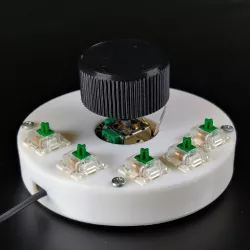
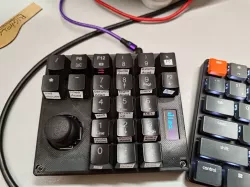
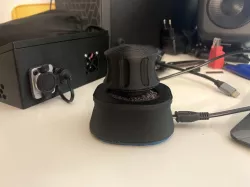
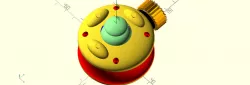
A DIY version of the 3D Connection Space Mouse: it is the union between a mouse and a joystick, in which you can map some shortcuts of your 3D modeling software. You can use the joystick to orbit your model and the rotation of the joystick for the zoom control, for a total of 3 degrees of freedom. The joystick has a central switch that is mapped to the Fusion 360 shortcut SHIFT+Middle_Mouse_Switch, which enable the panning of the 3D model, but you can change the shortcut in the Arduino code. The JoyMouse has another 5 switches that you can map to 5 different shortcuts of your favorite software. The brain of the JoyMouse is the Arduino Pro Micro, a microcontroller compatible with the keyboard.h and mouse.h libraries.
After assembling the model, you have to connect the joystick, the encoder, and the switches to the corresponding pins of the Arduino mapped in the Arduino code. Then, you have to upload the code that you will find in the link below (Google Drive) to the Arduino.
Arduino code:
https://drive.google.com/drive/folders/1gzDxS3CT-FXtMkrMqIdSHvG7EstrP9QS?usp=sharing
For this project you will need:
4x 2mm screws;
4x 3mm screws;
Arduino pro micro;
Joystick sensor;
Mouse encoder and scroll wheel;
5x keyboard switches;
4x rubber feet;
USB to Micro-USB cable;
Direct link to the original creator's page
More from idema
Similar Models
 thingiverse
 thingiverse
 thingiverse
 thingiverse
 cults3d
 thingiverse
 thingiverse
 thingiverse
Model Specifications
Frequently Asked Questions
How do I download JoyMouse?
Click the "View on cults3d" button above to visit the original model page on cults3d. You can download the STL file directly from the creator's page for free.
What 3D printer can I use for this model?
This STL file is compatible with most FDM 3D printers (Creality Ender 3, Prusa MK3S+, Bambu Lab, etc.) and resin printers (Elegoo, Anycubic). Check the original page for recommended print settings and materials.
Is this 3D model free to download?
Yes, this model is available as a free download on cults3d. Some creators accept tips or donations.
Can I modify this STL file?
Most STL files can be modified using free software like Blender, TinkerCAD, or Meshmixer. Check the license on the original cults3d page to see if modifications are permitted by the creator.