 prusaprinters
LED Binary Clock
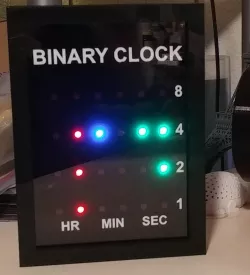
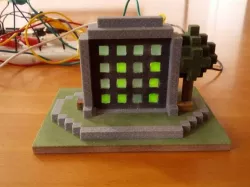
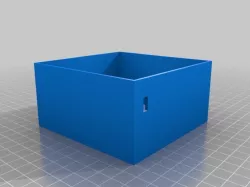
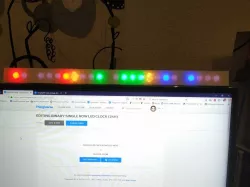
I took inspiration from this Binary Clock instructables post on creating a binary clock and made one of my own design. When the LEDs are off, the face just looks like a solid sheet of black and only when they light up do you see them.For my build, I designed a housing and face plate that is fully 3d-printable. It is the same size as a 5x7 picture frame and I used a piece of glass from a dollar store frame. I also used four buttons on the side the cycle through the colors for the LEDs displaying hours, minutes and seconds as well as to adjust the brightness of the LEDs and adjust the time by one hour for daylight savings time.This clock uses an ESP8266 ESP-12E board to connect to the internet and get the time so you don't have a RTC clock with battery to deal with or have to adjust the time due to the RTC running a little fast or slow.Full instructions and source code available at my instructables post: https://www.instructables.com/3d-Printable-LED-Binary-Clock/
Direct link to the original creator's page
Also Available On
More from ctbaker

Similar Models

Model Specifications
Frequently Asked Questions
How do I download LED Binary Clock?
Click the "View on prusaprinters" button above to visit the original model page on prusaprinters. You can download the STL file directly from the creator's page for free.
What 3D printer can I use for this model?
This STL file is compatible with most FDM 3D printers (Creality Ender 3, Prusa MK3S+, Bambu Lab, etc.) and resin printers (Elegoo, Anycubic). Check the original page for recommended print settings and materials.
Is this 3D model free to download?
Yes, this model is available as a free download on prusaprinters. Some creators accept tips or donations.
Can I modify this STL file?
Most STL files can be modified using free software like Blender, TinkerCAD, or Meshmixer. Check the license on the original prusaprinters page to see if modifications are permitted by the creator.