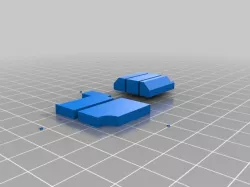
 thingiverse
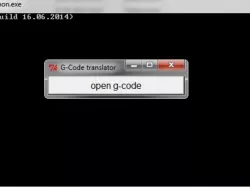
Mix G-code files python script
mixgcode.py
Mix some *.gcode file,
the layer with same height (z value) is collected from different gcode files, put this same height code into one layer.
1. Input gcode files must have same layer height set.
2. When is translating, don't lift the z axis.
3. Can use the retraction.
4. Use slic3r software tool.
5. input1.gocode(file1(fa)) is tallest then input2.gcode
6. G-code file, E must use absolute positions(M82), not use relative positions(M83)
usage: py mixgcode.py output.gcode input1.gcode input2.gcode
Auther: WangJinLong 王金龙
Data: 2015-08-14
The G-code file's head part use the input1.gcode file's head part.
The file1 has the tallest part.
Direct link to the original creator's page
More from wjl5327
Similar Models
 thingiverse
 grabcad
 thingiverse
 thingiverse
 thingiverse
 thingiverse
 thingiverse
 prusaprinters
Model Specifications
Frequently Asked Questions
How do I download Mix G-code files python script?
Click the "View on thingiverse" button above to visit the original model page on thingiverse. You can download the STL file directly from the creator's page for free.
What 3D printer can I use for this model?
This STL file is compatible with most FDM 3D printers (Creality Ender 3, Prusa MK3S+, Bambu Lab, etc.) and resin printers (Elegoo, Anycubic). Check the original page for recommended print settings and materials.
Is this 3D model free to download?
Yes, this model is available as a free download on thingiverse. Some creators accept tips or donations.
Can I modify this STL file?
Most STL files can be modified using free software like Blender, TinkerCAD, or Meshmixer. Check the license on the original thingiverse page to see if modifications are permitted by the creator.