 thingiverse
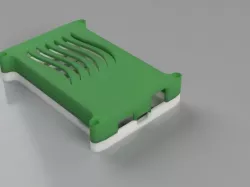
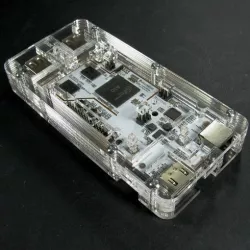
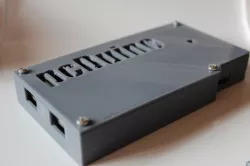
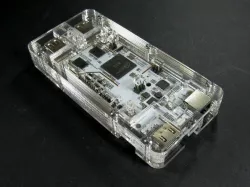
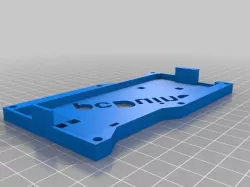
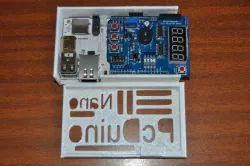
PCDuino 3 Case
Update: Added V2 to hopefully fix the issue with ethernet/hdmi fit
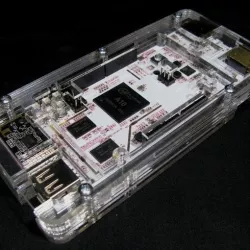
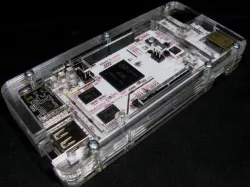
Case for a PCDuino 3.
Note: Included is a lid with no top holes to keep it clean for anyone who wants to add holes for wires, fans, lights, switches, etc.
Chances are with no air holes the pcduino will overheat so be sure to add your own air holes before printing, whether that's just passive air holes or a spot for a cooling fan.
Top and bottom halves each have a matching version that includes (or not) the analog audio port. Make sure you pick a matching pair.
Print Settings
Printer:
home made, picked fresh from the garden
Rafts:
No
Supports:
No
Resolution:
0.25 or better
Infill:
10% or more
Notes:
Print the main body in regular material and the feet in flexible if possible.
Other Notes
To assemble, use screws long enough to poke out the bottom of the case and screw the feet on to provide an air gap underneath. Alternatively use shorter screws and just glue on some rubber feet.
Mounting holes in the PCB are quite close to components (not something I can control) so the use of nylon screws is strongly recommended to avoid damage / short circuits.
Direct link to the original creator's page
More from rockpaperlizardspock
Similar Models
Model Specifications
Frequently Asked Questions
How do I download PCDuino 3 Case?
Click the "View on thingiverse" button above to visit the original model page on thingiverse. You can download the STL file directly from the creator's page for free.
What 3D printer can I use for this model?
This STL file is compatible with most FDM 3D printers (Creality Ender 3, Prusa MK3S+, Bambu Lab, etc.) and resin printers (Elegoo, Anycubic). Check the original page for recommended print settings and materials.
Is this 3D model free to download?
Yes, this model is available as a free download on thingiverse. Some creators accept tips or donations.
Can I modify this STL file?
Most STL files can be modified using free software like Blender, TinkerCAD, or Meshmixer. Check the license on the original thingiverse page to see if modifications are permitted by the creator.