 GrabCAD
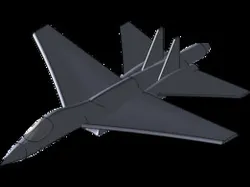
pesawat jet
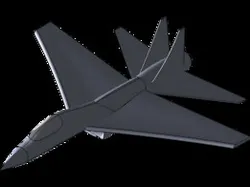
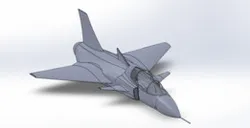
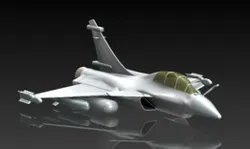
Jet Aircraft Surface Modeling Design is the process of creating a three-dimensional digital model of an aircraft using advanced surface modeling techniques in Computer-Aided Design (CAD) software. This approach is used to develop the aircraft's external geometry with high accuracy, ensuring aerodynamic efficiency, structural feasibility, and visual quality.
The design process begins by defining key reference curves that represent the aircraft’s fuselage, wings, tail assembly, engine nacelles, and cockpit. These curves are then connected to generate smooth and continuous surfaces, creating an aerodynamic shape capable of minimizing drag and maximizing flight performance. Surface modeling enables designers to accurately control complex curves and transitions that are essential in modern aircraft design.
A major objective of jet aircraft surface modeling is to optimize aerodynamic characteristics. The streamlined surfaces help reduce air resistance, improve fuel efficiency, enhance stability, and increase overall flight performance. Additionally, the technique allows engineers to evaluate and refine the aircraft's appearance while meeting strict engineering and manufacturing requirements.
The final outcome is a detailed 3D surface model that can be utilized for aerodynamic analysis, structural simulations, visualization, prototyping, and production planning. Surface modeling is a critical stage in aircraft development, as it ensures the jet aircraft achieves an optimal balance between performance, safety, efficiency, and aesthetics.
Direct link to the original creator's page
More from Muhammmad Nauval afif
Similar Models

Model Specifications
Frequently Asked Questions
Where is pesawat jet published?
This model is published by its creator on GrabCAD. STLFinder only indexes it: the "View on GrabCAD" button above opens the original page, where the creator shares the SOLIDWORKS files under their own license.
What 3D printer can I use for this model?
This model is compatible with most FDM 3D printers (Creality Ender 3, Prusa MK3S+, Bambu Lab, etc.) and resin printers (Elegoo, Anycubic). Check the original page for recommended print settings and materials.
Is this 3D model free?
Yes, the creator shares it at no cost on GrabCAD. Some creators accept tips or donations.
Can I modify this file?
Check the license (see original page) on the original GrabCAD page. Most STL files can be modified using free software like Blender, TinkerCAD, or Meshmixer.