 thingiverse
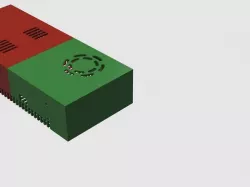
Power Supply Case
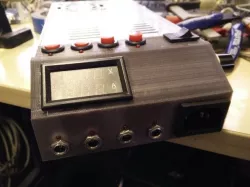
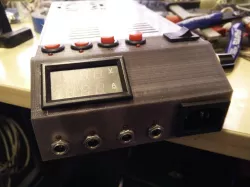
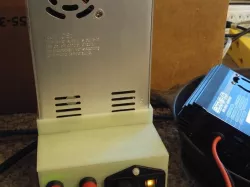
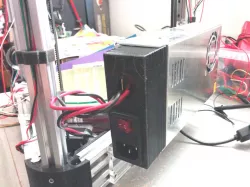
I was having issues with my Solidoodle 4 locking up. Long and short of the story, my Solidoodle 4 is now a Frankendoodle 4 (see my other posts). I added a headed bed that was 200w and needed a bigger power supply than the XBOX type what was attached. I found a 33A/360W one on eBay; however, my OCD got the better of me and I designed a case to cover the power supply and added a switch. It was getting old to "pull the plug" to turn off the printer.
Print Settings
Printer Brand:
Solidoodle
Printer:
Solidoodle 4
Rafts:
No
Supports:
Yes
Resolution:
.20
Infill:
30%
Notes:
190 degrees extruder (PLA)
65 degrees heated bed.
Default speeds. (Too fast caused issues)
How I Designed This
Parts I used for this project
M4x15mm socket screws -
eBay power supply: http://www.ebay.com/itm/AC-110V-220V-to-DC-5V-12V-24V-Switching-Power-Supply-Driver-for-LED-Strip-CCTV-/272073668891?var=&hash=item3f58dab91b:m:mb99FY6-QDEki15M2d8KfXQ
eBay Power switch:http://www.ebay.com/itm/Plastic-Black-AC-10A-250V-IEC320-C14-Inlet-Module-Plug-Neno-Lamp-Boat-Switch-DT-/252183148746?hash=item3ab74978ca:g:-NkAAOSwf-VWU6tl
A little learning on the IEC socket wiring. (I'll post this diagram a bit later; but google will help)
I cut up an old computer cord for the IEC wiring and use from the power supply to the printer. Recommend 15 Gauge Stranded Wire
Used another computer power cord from the case to the wall.
Direct link to the original creator's page
Also Available On
More from cbitterfield
Similar Models
 thingiverse
 prusaprinters
 thingiverse
 thingiverse
 thingiverse
 thingiverse
 thingiverse
 prusaprinters
Model Specifications
Frequently Asked Questions
How do I download Power Supply Case?
Click the "View on thingiverse" button above to visit the original model page on thingiverse. You can download the STL file directly from the creator's page for free.
What 3D printer can I use for this model?
This STL file is compatible with most FDM 3D printers (Creality Ender 3, Prusa MK3S+, Bambu Lab, etc.) and resin printers (Elegoo, Anycubic). Check the original page for recommended print settings and materials.
Is this 3D model free to download?
Yes, this model is available as a free download on thingiverse. Some creators accept tips or donations.
Can I modify this STL file?
Most STL files can be modified using free software like Blender, TinkerCAD, or Meshmixer. Check the license on the original thingiverse page to see if modifications are permitted by the creator.