 myminifactory
Python Badge
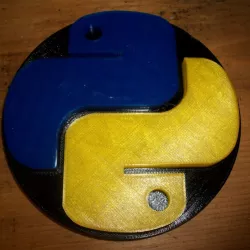
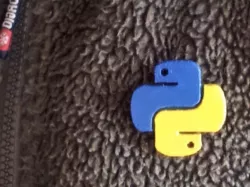
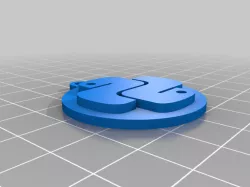
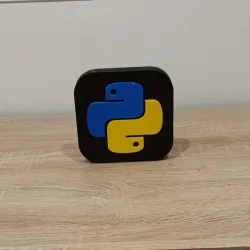
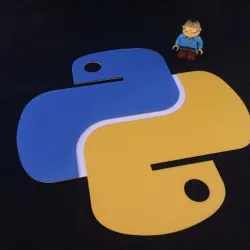
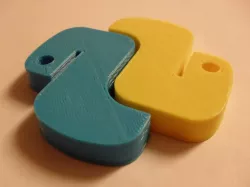
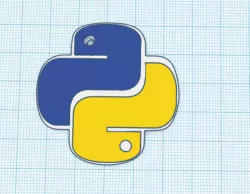
I got a little bored watching my Learn Python programming tutorial, so I took a break to design a printable, snap together badge for when I finish my classes :)There are two files, the base, and one half of the symbol. Print the symbol twice, in your choice of color (or the traditional blue and yellow from the Python logo).Once the peices are printed, just snap the logo peices into the base and it's all done.The one in the photo isn't from the same design files. It was created from the same design files, but I made some mistakes in the first one, that didn't allow it to snap together nicely, so I made some edits.It should print identical to the one in the photo, but it will work better than the one I have.Thanks for checking out my thing, and if you print it, let me know! Happy Printing, and Happy Programming!
Direct link to the original creator's page
Also Available On
More from nathan
Similar Models
Model Specifications
Frequently Asked Questions
How do I download Python Badge?
Click the "View on myminifactory" button above to visit the original model page on myminifactory. You can download the STL file directly from the creator's page.
What 3D printer can I use for this model?
This STL file is compatible with most FDM 3D printers (Creality Ender 3, Prusa MK3S+, Bambu Lab, etc.) and resin printers (Elegoo, Anycubic). Check the original page for recommended print settings and materials.
Is this 3D model free to download?
This is a premium model priced at on myminifactory. Premium models often include higher detail, multiple parts, and print-tested files.
Can I modify this STL file?
Most STL files can be modified using free software like Blender, TinkerCAD, or Meshmixer. Check the license on the original myminifactory page to see if modifications are permitted by the creator.