 thingiverse
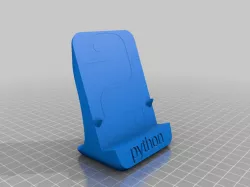
Python Logo stand
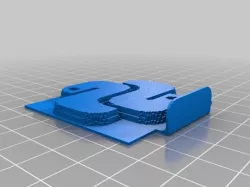
Update 3/30/2020: added scaled version (60%) and a picture of the sliced text print
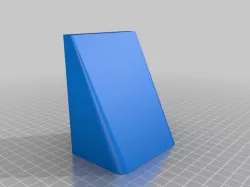
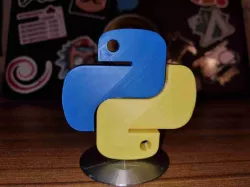
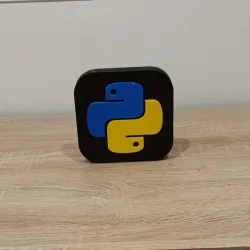
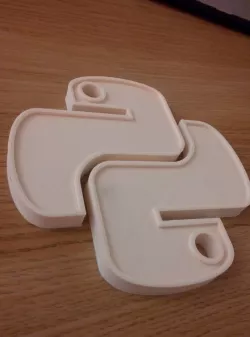
I printed the Python logo assembly in full size and it looks great. But I wanted to have it displayed properly so designed this stand for it. There's small indent for the logo on the stand. The logo isn't attached to the stand in any way, just rests there.
This stand can be printed in single-color or dual-color. To print it in single-color, just select both the stand-model and text-model and assign them to the same nozzle. For dual color, assign the models to different nozzles/extruders.
There's also couple of more experimental models:
- the stand model named as brim_wall is an experiment create a wall around the model, for printing with ABS without enclosure
- the _sliced model is a experiment on blending colors: the text is printed so that it only every other 0.2 mm layer is printed, blending the colors. So if printing the stand in white and the sliced text in blue, the result is lighter blue. I don't have a picture of the result, I gave it away.
OpenSCAD source: https://github.com/spegelius/3DModels/blob/master/Python_logo_remix/remix.scad
You'll need some other files from the repo, see include-lines.
Direct link to the original creator's page
Also Available On
More from spegelius

Similar Models
Model Specifications
Frequently Asked Questions
How do I download Python Logo stand?
Click the "View on thingiverse" button above to visit the original model page on thingiverse. You can download the STL file directly from the creator's page for free.
What 3D printer can I use for this model?
This STL file is compatible with most FDM 3D printers (Creality Ender 3, Prusa MK3S+, Bambu Lab, etc.) and resin printers (Elegoo, Anycubic). Check the original page for recommended print settings and materials.
Is this 3D model free to download?
Yes, this model is available as a free download on thingiverse. Some creators accept tips or donations.
Can I modify this STL file?
Most STL files can be modified using free software like Blender, TinkerCAD, or Meshmixer. Check the license on the original thingiverse page to see if modifications are permitted by the creator.