 thingiverse
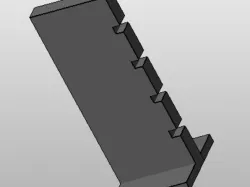
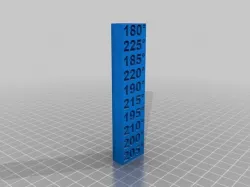
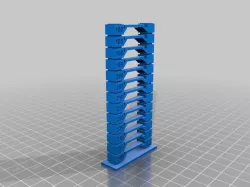
simple temp block
In the gcode, look for the M104 command. Example:
M104 S205 ; set temperature
Then add it to the gcode produced from your slicer, after the end blocks, like this:
...
G92 E0
M104 S200 ; set temperature
G1 Z10.200 F7800.000
...
Set the correct temp based on the Z location from the command:
Direct link to the original creator's page
More from pfilip
Similar Models
 thingiverse
 thingiverse
 thingiverse
 thingiverse
 cults3d
 prusaprinters
 thingiverse
 cults3d
Model Specifications
Frequently Asked Questions
How do I download simple temp block?
Click the "View on thingiverse" button above to visit the original model page on thingiverse. You can download the STL file directly from the creator's page for free.
What 3D printer can I use for this model?
This STL file is compatible with most FDM 3D printers (Creality Ender 3, Prusa MK3S+, Bambu Lab, etc.) and resin printers (Elegoo, Anycubic). Check the original page for recommended print settings and materials.
Is this 3D model free to download?
Yes, this model is available as a free download on thingiverse. Some creators accept tips or donations.
Can I modify this STL file?
Most STL files can be modified using free software like Blender, TinkerCAD, or Meshmixer. Check the license on the original thingiverse page to see if modifications are permitted by the creator.