 cults3d
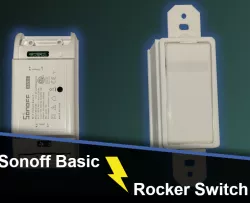
Sonoff Basic Switch Light Switch
In designing this, my goal was to make it easy to print, simple and hopefully aesthetically pleasing (not look like a 3d printed part).
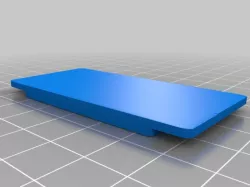
All the parts can be printed without support (with the exception of the bezel). There are no screws or soldering required. Should be able to print all parts in normal resolution.
There is a compression spring I added to the button. You can get them on Amazon for cheap. The size needed is 7mm x 12.5mm.
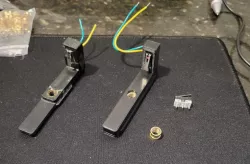
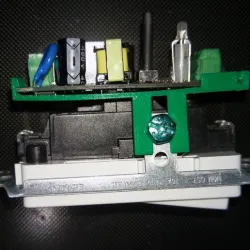
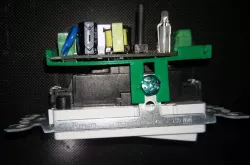
I designed guides for cutting the vertical tabs, so it can be mounted in a standard light switch box, or metal switch box (see photo).
Install is super easy
1. Print all the parts
2. Put the board in the box, align the button/led
3. Slide on the back cover
4. Connect the hot and neutral wires to the bottom terminals labeled "H" and "L" on the box using the screw holes.
5. Connect the switched hot to the open terminal on the top.
6. Turn on the breaker and test it.
7. snap the button + spring + bezel on top and close it all up, and mount it to the box
8. Mount the face cover to the box.
I use homeAssitant and ESPhome to program them so the blue led comes on when the power is off, easy to find in the dark.
Here's the config section for doing that...
------ESPHome connfig-------
binary_sensor:
- platform: gpio
id: push_button
pin:
number: GPIO0
mode: INPUT_PULLUP
inverted: True
name: "XXX Light Switch"
internal: true
on_press:
# Prevents unintended LED lit states.
if:
condition:
- switch.is_off: relay
then:
- switch.turn_off: blue_led
- switch.turn_on: relay
else:
- switch.turn_off: relay
- switch.turn_on: blue_led
switch:
# The relay switches on the red side of the LED when active.
- platform: gpio
name: "XXX Lights"
pin: GPIO12
id: relay
on_turn_off:
- switch.turn_on: blue_led
on_turn_on:
- switch.turn_off: blue_led
# With this we can control the blue side of the LED.
- platform: gpio
id: blue_led
pin:
number: GPIO13
inverted: True
Direct link to the original creator's page
Also Available On
More from travio

Similar Models
 thingiverse
 prusaprinters
 prusaprinters
 cults3d
 thingiverse
 thingiverse
 thingiverse
 thingiverse
Model Specifications
Frequently Asked Questions
How do I download Sonoff Basic Switch Light Switch?
Click the "View on cults3d" button above to visit the original model page on cults3d. You can download the STL file directly from the creator's page.
What 3D printer can I use for this model?
This STL file is compatible with most FDM 3D printers (Creality Ender 3, Prusa MK3S+, Bambu Lab, etc.) and resin printers (Elegoo, Anycubic). Check the original page for recommended print settings and materials.
Is this 3D model free to download?
This is a premium model priced at on cults3d. Premium models often include higher detail, multiple parts, and print-tested files.
Can I modify this STL file?
Most STL files can be modified using free software like Blender, TinkerCAD, or Meshmixer. Check the license on the original cults3d page to see if modifications are permitted by the creator.