 thingiverse
Spinner Controller
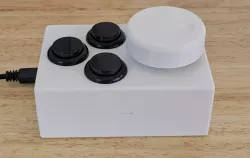
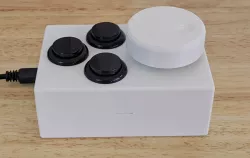
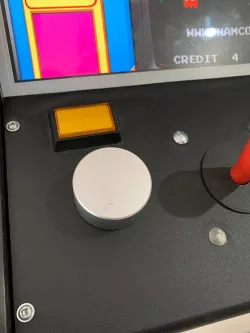
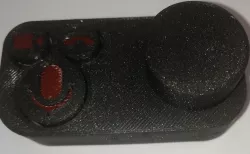
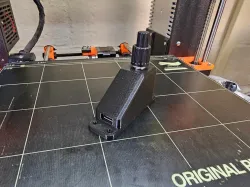
A spinner controller with 3 mouse buttons.
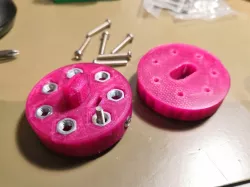
The spinner generates X-axis mouse movement when the knob is rotated, and the buttons generate mouse events. Intended for use with gaming consoles or computers that accept USB mouse-like devices as inputs.
In addition to the printed case and knob, you'll also need:
* a BQLZR 600P/R rotary encoder: https://www.amazon.com/dp/B00UTIFCVA
* an Arduino Pro Micro or equivalent: https://www.amazon.com/dp/B012FOV17O
* three 24mm pushbuttons: https://www.amazon.com/dp/B07X242Z4D
* four 6mm M3 bolts
* six ¼" nuts or similar-sized weights (optional, depending on your gaming preferences)
Assembly is pretty straightforward:
1. solder the header strips onto the Arduino _pointing upward_
2. program the Arduino
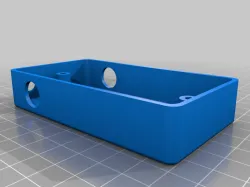
3. mount the Arduino in the case (it's a tight fit, and could probably use a heavy double-sided tape to hold it in place)
4. bolt the encoder to the case top using 3 of the bolts
5. connect the encoder to pins labeled 2,3,GND,RAW (white,green,black,red respectively)
6. snap the 3 buttons into the case top, taking care to keep the pins clear of the Arduino pins
7. connect one pin of each button to any pin labeled GND
8. connect the other pin of each button to pins labeled 19,20,21 (or A1,A2,A3)
9. close the case
10. attach the knob to the encoder shaft using the remaining bolt
**NOTE**: _Only the models_ are public domain. The spinner.ino file is covered under GNU GPL, and should be treated as such.
Direct link to the original creator's page
Also Available On
More from degroof
Similar Models
 prusaprinters
 thingiverse
 thingiverse
 thingiverse
 thingiverse
 thingiverse
 thingiverse
 thingiverse
Model Specifications
Frequently Asked Questions
How do I download Spinner Controller?
Click the "View on thingiverse" button above to visit the original model page on thingiverse. You can download the STL file directly from the creator's page for free.
What 3D printer can I use for this model?
This STL file is compatible with most FDM 3D printers (Creality Ender 3, Prusa MK3S+, Bambu Lab, etc.) and resin printers (Elegoo, Anycubic). Check the original page for recommended print settings and materials.
Is this 3D model free to download?
Yes, this model is available as a free download on thingiverse. Some creators accept tips or donations.
Can I modify this STL file?
Most STL files can be modified using free software like Blender, TinkerCAD, or Meshmixer. Check the license on the original thingiverse page to see if modifications are permitted by the creator.