 GrabCAD
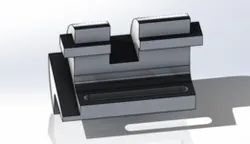
Tapered Pin
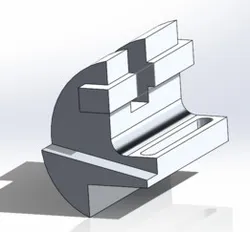
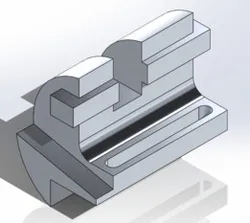
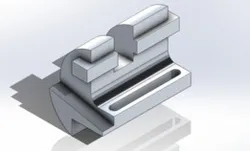
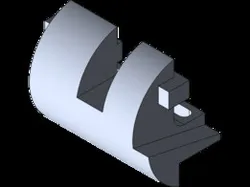
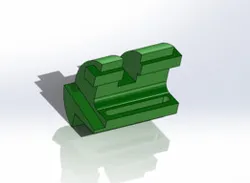
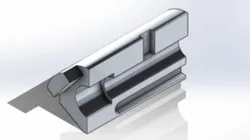
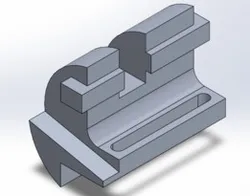
First, I started by creating 2 circles with a radius of 50 and 10. Next I created a line to the right of the circle of the radius of 10 and made it 20mm. Next, I created a line down from it measuring 15mm and made a connecting line under it 40mm. Next, I connected the end of the 40mm down to the circle with the radius of 50. Then I made a line straight up from the top of the circle with the radius to 10 and made sure to smart dimension it to 60mm long. Then, I made the small box making it 20mm by 10mm and trimmed everything on the right side. Then, I went to the bottom right corner and measured a lineup to 5mm and made a centerline and smart dimensioned it to 12 degrees. Then, I extruded the slant part to 115mm, the other big part to 100mm and finally the cube area to 110mm and 10mm when you use direction 2. Then, I made a slot 80mm long and 10mm wide and extrude cut it though the entire design. Then I made a box that I need to extrude cut to give it that cut look and made the box 40x25mm and extrude cut it. Finally, I changed the material to 1060 alloy and and checked my mass and I was 0.1 grams off
Direct link to the original creator's page
Also Available On
More from Paige Evans
Similar Models
Model Specifications
Frequently Asked Questions
Where is Tapered Pin published?
This model is published by its creator on GrabCAD. STLFinder only indexes it: the "View on GrabCAD" button above opens the original page, where the creator shares the RENDERING, SOLIDWORKS files under their own license.
What 3D printer can I use for this model?
This model is compatible with most FDM 3D printers (Creality Ender 3, Prusa MK3S+, Bambu Lab, etc.) and resin printers (Elegoo, Anycubic). Check the original page for recommended print settings and materials.
Is this 3D model free?
Yes, the creator shares it at no cost on GrabCAD. Some creators accept tips or donations.
Can I modify this file?
Check the license (see original page) on the original GrabCAD page. Most STL files can be modified using free software like Blender, TinkerCAD, or Meshmixer.