 thingiverse
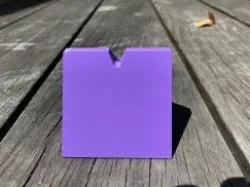
Thread Cutter
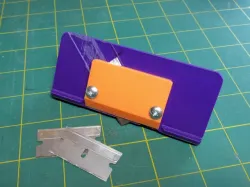
My wife is a quilter and spends a lot of time sewing pairs of fabric together. I designed this solution for her (and the Silicon Valley Modern Quilt Guild) for easy cutting of the threads while chain piecing (see how it works in this video: https://youtu.be/cniQfTWOyYI ).
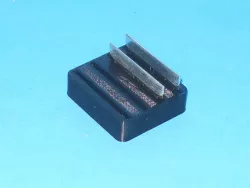
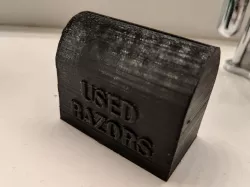
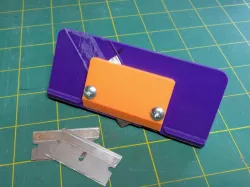
This sits on a table with a tiny part of a razor blade exposed so things can be cut quickly with almost no risk of cutting fingers. (Standard disclaimer: Razor blades are sharp, and you can cut yourself with them, even in this design, if you try hard enough)
I’ve chosen to use a generic single edge razor blade so it’s easily replaceable when it gets dull, and used a press-fit nut design that I learned from this link: http://www.instructables.com/id/3D-Print-captured-nuts-without-pausing-your-print/
I used a #6-32 x 3/4” nut and screw from Home Depot (Everbilt round head combo, SKU 528 466), and I happened to use Stanley single edge razor blades, but I’m hoping this design is generic enough for most single edge blades.
This is my first Thingiverse posting, so I'm very open to feedback on the design or how I posted it.
Direct link to the original creator's page
Also Available On
More from jeffhirschman
 thingiverse
 thingiverse
 thingiverse
 thingiverse
 thingiverse
 thingiverse
Similar Models

Model Specifications
Frequently Asked Questions
How do I download Thread Cutter?
Click the "View on thingiverse" button above to visit the original model page on thingiverse. You can download the STL file directly from the creator's page for free.
What 3D printer can I use for this model?
This STL file is compatible with most FDM 3D printers (Creality Ender 3, Prusa MK3S+, Bambu Lab, etc.) and resin printers (Elegoo, Anycubic). Check the original page for recommended print settings and materials.
Is this 3D model free to download?
Yes, this model is available as a free download on thingiverse. Some creators accept tips or donations.
Can I modify this STL file?
Most STL files can be modified using free software like Blender, TinkerCAD, or Meshmixer. Check the license on the original thingiverse page to see if modifications are permitted by the creator.