 GrabCAD
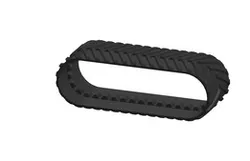
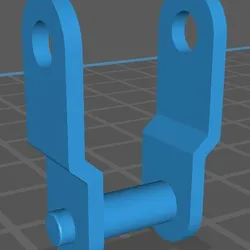
Track Chain
📌 Definition and Importance:
The track chain is the main component of the track system for heavy equipment such as excavators, bulldozers, and loaders. This chain distributes the weight of the machine over a larger area of the ground, enabling it to operate in difficult conditions and soft soil without sinking.
To extend service life:
1. **Correct tension:** Do not increase or decrease
2. **Regular cleaning:** Especially in dusty environments
3. **Periodic inspection:** Early detection of problems
4. **Use original spare parts:** Compliant with specifications
5. **Proper operation:** Avoid shocks and overloading
6. **Proper storage:** When not in use for long periods
🎯 Conclusion: The track chain is the heart of the moving system of tracked equipment. Choosing the right type, correct installation, and regular maintenance are the keys to reliable performance and long service life. Investing in quality chains provides long-term savings by reducing downtime and improving efficiency.
Direct link to the original creator's page
Also Available On
More from Gorilla Auto-Academy
 GrabCAD
 GrabCAD
 GrabCAD
 GrabCAD
 GrabCAD
 GrabCAD
Similar Models
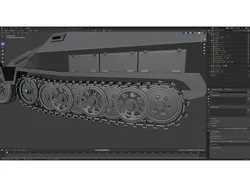
![Top chain Corner track[Magnetic Type]](https://bamax.es/uploads_v2/816/top-chain-corner-trackmagnetic-type-LJ3U2yfV_200.webp)
Model Specifications
Frequently Asked Questions
How do I download Track Chain?
Click the "View on GrabCAD" button above to visit the original model page on GrabCAD. You can download the SOLIDWORKS file directly from the creator's page for free.
What 3D printer can I use for this model?
This model is compatible with most FDM 3D printers (Creality Ender 3, Prusa MK3S+, Bambu Lab, etc.) and resin printers (Elegoo, Anycubic). Check the original page for recommended print settings and materials.
Is this 3D model free to download?
Yes, this model is available as a free download on GrabCAD. Some creators accept tips or donations.
Can I modify this file?
Check the license (see original page) on the original GrabCAD page. Most STL files can be modified using free software like Blender, TinkerCAD, or Meshmixer.