 GrabCAD
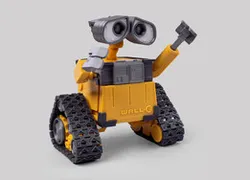
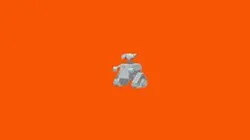
Wall-E Foldable
Print-in-place Articulated
Designer AUTOBOTO
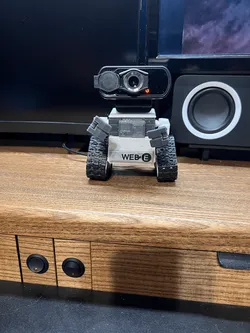
Since Fab365 designed the Foldable Robot, there have been many requests to design the Wall-E in a foldable way. This is because Wall-E is optimized for foldable design. However, the shape optimized for foldable is only the body, and Wall-E's head/eyes, arms, wheels and track are a challenging shape with many factors to consider.
Now that we too have gained a lot of experience, we now have the skills to create, and finally we can design like this.
Please enjoy the foldable design skills that Fab365 has accumulated over the past 3 years with the Foldable Wall-E.
Here are some things to keep in mind when making Foldable Wall-E.
When folding the body, make sure to check the positions of the protrusions and holes before folding.
The parts attached to the upper corner of the Wall-E's body have a small adhesive area, so it is recommended to apply the adhesive carefully before sticking.
The neck must first be pushed up and then rotated before it can move.
The arm moves along the rail. On the lower rail, it moves well when the arm is forward, and on the upper rail, it moves well along the rail when raised up.
To make the track move well, it's a good idea to grease the wheels with sewing machine oil.
If the tracks are well separated, it is helpful to increase the flow rate.
Direct link to the original creator's page
More from Jan Pressl


Similar Models
Model Specifications
Frequently Asked Questions
Where is Wall-E Foldable published?
This model is published by its creator on GrabCAD. STLFinder only indexes it: the "View on GrabCAD" button above opens the original page, where the creator shares the RENDERING, STL files under their own license.
What 3D printer can I use for this model?
This model is compatible with most FDM 3D printers (Creality Ender 3, Prusa MK3S+, Bambu Lab, etc.) and resin printers (Elegoo, Anycubic). Check the original page for recommended print settings and materials.
Is this 3D model free?
Yes, the creator shares it at no cost on GrabCAD. Some creators accept tips or donations.
Can I modify this file?
Check the license (see original page) on the original GrabCAD page. Most STL files can be modified using free software like Blender, TinkerCAD, or Meshmixer.