 pinshape
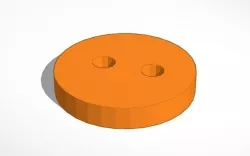
Round Basic Button
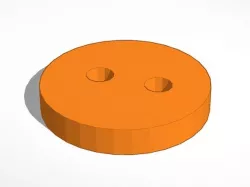
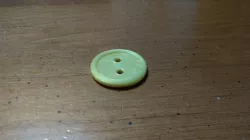
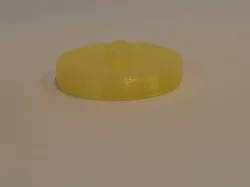
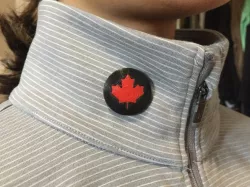
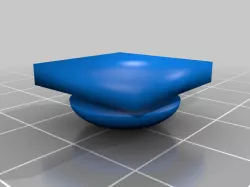
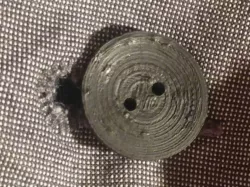
SummaryThis is your basic round button with 2 holes. I created it on www.Tinkercad.com and printed one. The print works great including the holes and now the button is on a pair of my pants and living daily life. It's a pretty basic design but functional, I hope it is useful to you guys. Post any makes, I would love to see what your buttons look like!Print SettingsPrinter: XYZ Da Vinci Jr. 1.0Rafts: NoSupports: NoInfill: 15%Notes: You could print it as low as 10% and it would function properly. I printed mine at 15% because I know it is going to take a beating. Not to much post print work needs to be done & it only takes about 10 minutes to print. How I Designed Thishttp://www.tinkercad.comI did the few tutorials and then created this button straight away. I love this web app, it makes 3D modeling for a beginner very, very easy.
Direct link to the original creator's page
Also Available On
More from rainey


Similar Models
Model Specifications
Frequently Asked Questions
How do I download Round Basic Button?
Click the "View on pinshape" button above to visit the original model page on pinshape. You can download the STL file directly from the creator's page for free.
What 3D printer can I use for this model?
This STL file is compatible with most FDM 3D printers (Creality Ender 3, Prusa MK3S+, Bambu Lab, etc.) and resin printers (Elegoo, Anycubic). Check the original page for recommended print settings and materials.
Is this 3D model free to download?
Yes, this model is available as a free download on pinshape. Some creators accept tips or donations.
Can I modify this STL file?
Most STL files can be modified using free software like Blender, TinkerCAD, or Meshmixer. Check the license on the original pinshape page to see if modifications are permitted by the creator.